Deeksha Arora Aug 7, 2026
Ans: No, it does not wipe the data immediately. Your operating system only deletes the file’s index address pointer. The actual data remains there, but the computer marks it as “available.”
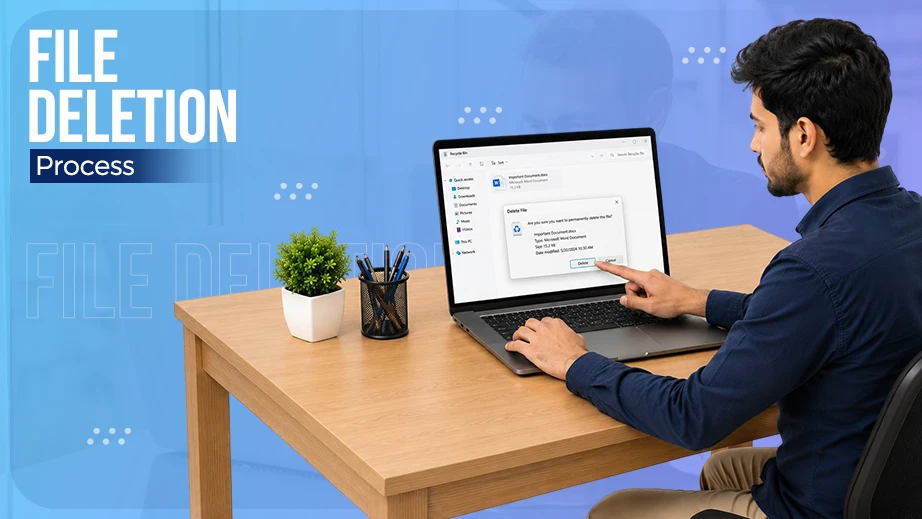
When you delete a file, the actual data remains completely intact on your drive until new files overwrite it. The exact lifespan of a deleted file depends completely on your hardware. Traditional Hard Drives (HDDs) leave data exposed and recoverable for longer periods. Modern Solid-State Drives (SSDs) use background commands like TRIM to permanently destroy data almost instantly. But what happens when you delete a file: is the data forever unrecoverable or still present?
This blog explains how different drives handle file deletion so you can securely protect your digital data and maximise your data recovery chances.
Quick Answer: When you delete a file, your computer deletes its address pointer from the file index and marks the space available. The data still stays on the drive until new files take its place (on hard drives) or clean-up tools wipe it away (on SSDs).
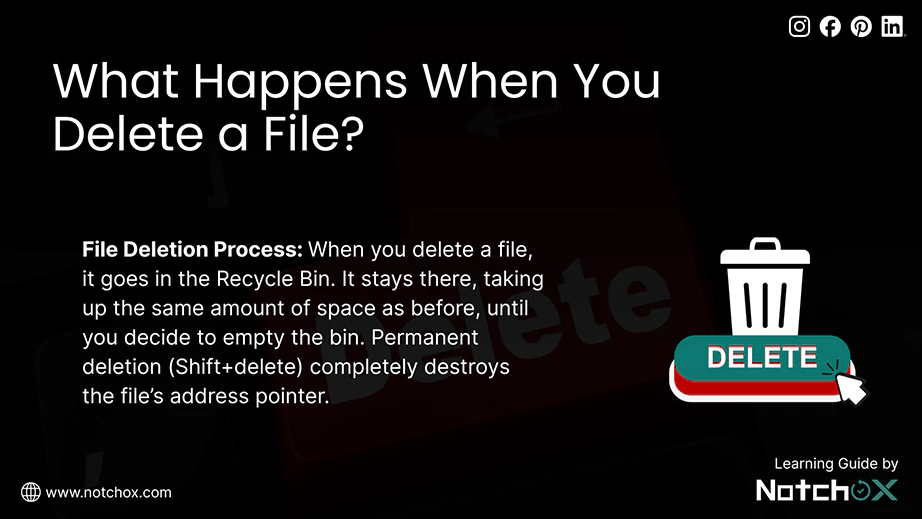
Hitting the delete key makes your file get deleted. That’s what a normal person thinks. But let me take you to the file deletion process because the computer does not erase the file’s data; it just marks the file’s space as “available” on your drive and hides it from your view. And you know what, the original data stays completely intact until new files need that exact space and overwrite it. Amazing right?
What happens when you delete a file? Uncovering this process will explain more about how things work, how the recycle bin manages temporary storage for files, how the files can be tracked, and what separates the superficial deletion from a permanent one.
Think of the Recycle Bin as a temporary holding zone. When you drop a file here, nothing gets deleted from your drive. Your computer just moves the file to a hidden system folder and changes its icon. It stays there the same, taking up the same amount of space as before, until you decide to empty the bin or restore it.
Your drive uses a master index called the file system metadata to keep track of every file’s name, size, and location. As you delete a file out of the Recycle Bin, the computer goes into this index and deletes the file’s address pointer. The actual data is still present there on the drive. But the operating system sees that location as empty and ready for new data.
So now, if we want to categorise types of deletion, we can say normal deletion and permanent deletion. But what actually is the difference between them, since in both cases the files get deleted, and we cannot access them after?
When you normally delete (like dragging the file to the Recycle Bin or pressing the delete key), you are putting the files in administrative quarantine.
Permanent deletion is when you Shift+deleted or emptied the Recycle Bin. The OS completely destroys the file’s address pointer. To the computer, due to these deleted file pointers, the file no longer exists, and its physical storage is marked as free.
But wait a minute, the data itself is not deleted. It stays there until overwritten. So, when a file is overwritten completely, you can say that the file has been permanently deleted.
| Feature | Normal Deletion | Permanent Deletion |
| Data Location | Moved to a hidden system folder | Stays on the drive but the address pointer is erased |
| Storage Space | Still occupied by the file | Marked as free and available for use |
| Visibility | Easy to see and restore with one click | Invisible to the user |
| Recovery | Instant recovery from the desktop | Requires recovery software or backups |
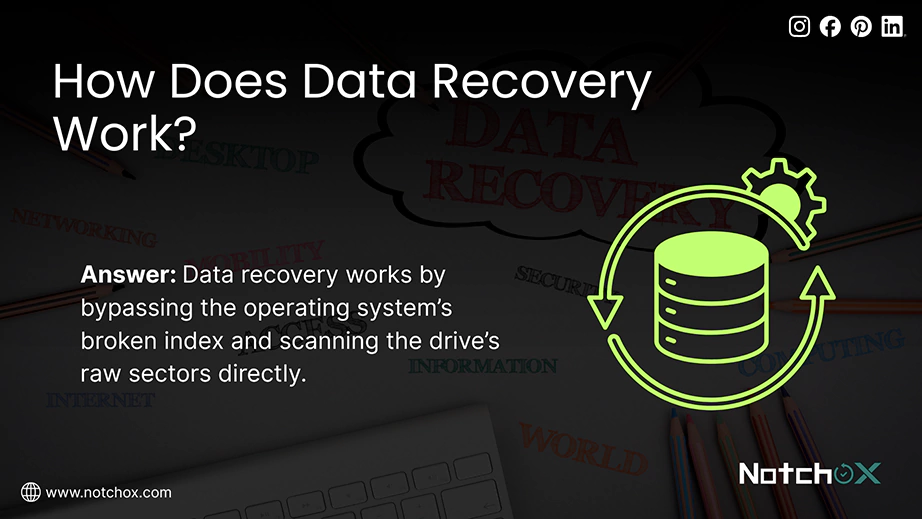
Because permanent deletion by the user only deletes the address pointer, the original file content remains intact and is waiting to be overwritten. It’s only the time before it is overwritten that it is available for recovery; whether you want to recover data from SATA SSD or any HDD, the chances to get them recovered are high.
Data recovery software works here by bypassing the operating system’s broken index and scanning the drive’s raw sectors directly. Yes, no matter what error your drive is showing, data recovery software is built to recover the data if the files have not claimed that space and overwritten old bits; selecting the best data recovery software can help you reconstruct the file and bring it back to your storage.
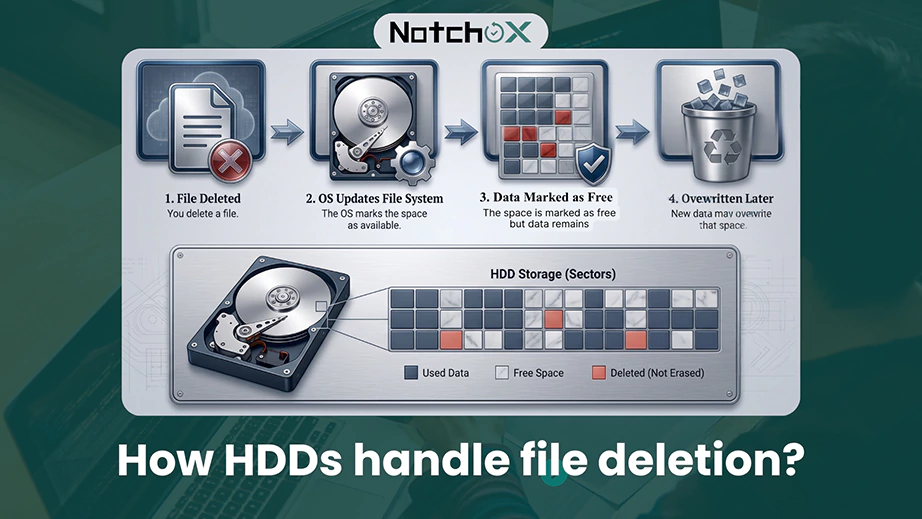
Hard Disk Drives (HDDs) depend on mechanical parts and magnetic coatings to read and write information. They treat data deletion as an administrative update rather than a physical clean-up. This gives a massive opportunity for data recovery.
To understand why data sticks around, you have to look at how an HDD physically stores it. Inside the drive, spinning magnetic platters hold your data in microscopic magnetic fields. When you permanently delete a file, the mechanical read/write head of the drive does not run over to those platters to wipe the magnetic fields or change them to zero because doing so would take too much time and wear out its mechanical parts.
The drive only changes the file system index, i.e., it changes the status of that specific storage sector from “occupied” to “available.” The magnetic alignment (1s and 0s) that make up your photos, documents, videos, or audio remains exactly the same on the platter. It will stay there until the operating system needs the same location for HDD data overwriting to save a new file.
In the News: Toshiba introduces industry-first 12-platter HDD stacking technology for massive 40 TB storage.
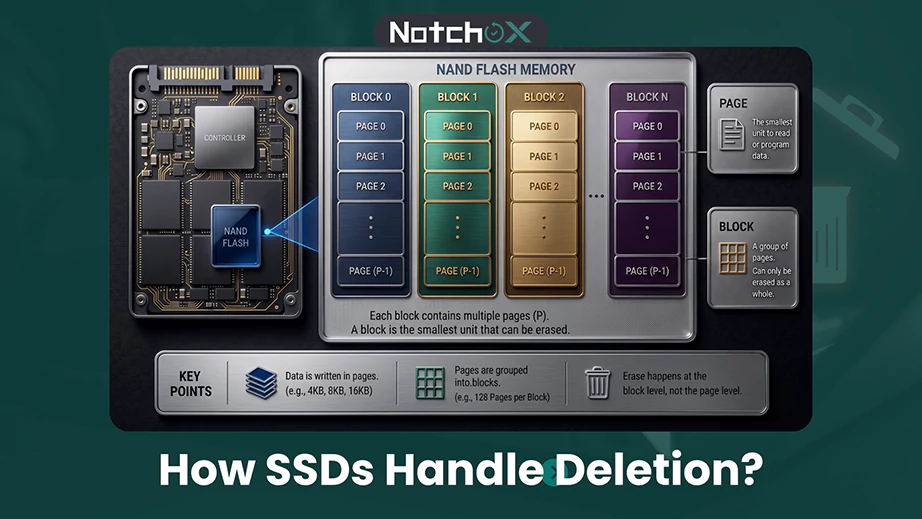
Solid-State Drives (SSDs) handle data completely differently because they do not have any moving parts. Unlike an HDD, it does not just keep the deleted data on the drive until overwritten; it has to clean up the space first. Because of this, deleting a file on an SSD permanently wipes your data much faster than you think.
SSDs use flash memory chips made of microchips called NAND flash. This architecture is incredibly fast. But it works on a strict set of physics rules. The most important rule? Data can only be written to complete, clean, and empty spaces. Hence, flash memory depends on a built-in manager to constantly move data around and keep the drive healthy.
To understand how an SSD stores information, we need to look at its two main structural units: pages and blocks.
This creates a unique structure in SSDs. An SSD cannot erase a single page of old data without wiping out the entire block it stays in.
Flash memory cells have a limited lifespan. They can only be written to and erased a certain number of times before they wear out. Wear leveling is the SSD’s internal algorithm that supervises everything. It looks for and makes sure data is written evenly across the entire drive so that certain flash cells do not burn out due to overuse while others remain unused.
As we have seen, an SSD can only erase data in large blocks; it uses a background process called Garbage Collection. Suppose the good data and deleted data both are collected in the block; it becomes cluttered. That’s where garbage cleaning happens. It copies the good and active pages to a new clean block. And once the good data is moved, it wipes the whole old block in one wipe, making it ready for future use.
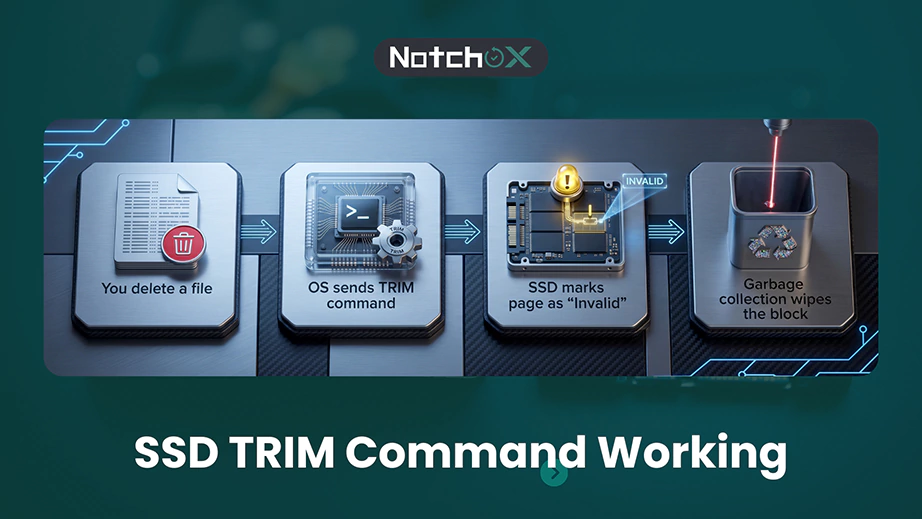
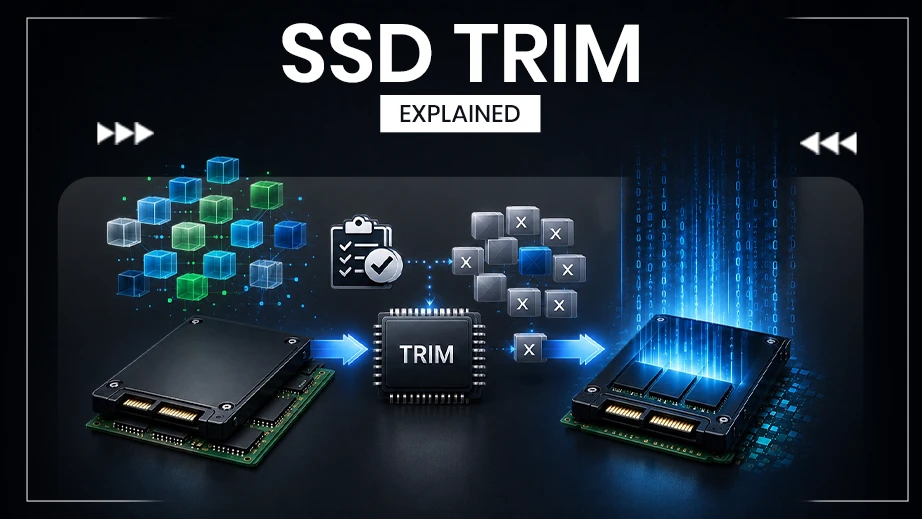
So far, you might think garbage collection is great, but it has a major blind spot. It does not already know which files you have deleted through the operating system. This is what the SSD TRIM command does. It bridges the communication gap and informs the SSD about the deleted files.
TRIM is a special operating system command (not a software tool) that talks directly to your SSD controller. But how SSD TRIM works? The moment you empty your recycle bin, or anything is permanently deleted, TRIM sends a message to the drive saying, “Hey, the user just deleted these specific pages. You do not need to save them anymore.”
The SSD remains completely unaware that a file is deleted without the SSD TRIM command until it tries to write new data to that same location. During this, the drive has to stop, read the block, erase the block, and then write the new data. This makes the SSD’s performance slow. TRIM makes the SSD run fast by clearing out the junk ahead of time.
You do not need to manually trigger TRIM. Modern operating systems like Windows 11, macOS, and Linux manage this completely in the background:
Since TRIM and garbage collection work together, data recovery from SSD is different from the older hard drives. Once they are triggered, they actively clear the drive’s memory cells. This creates physical limitations that make recovering lost files difficult.
Fact: Apple’s built-in SSDs are most secure because they scramble your data automatically. The moment you delete a file, Apple’s clean-up system instantly clears the drive. Thus, making it impossible to get that file back.
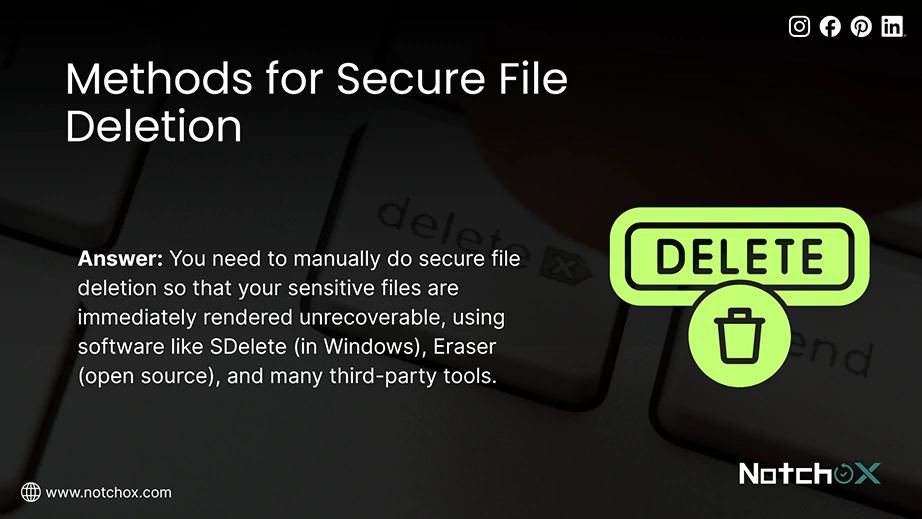
Though SSDs handle clearing deleted data automatically, you can take direct control of your privacy using secure deletion methods. Because SSDs lack a universal timeframe for when automated erasure actually finishes, relying on the drive’s background process is not sufficient. You need to manually trigger a secure file deletion so that your sensitive files are immediately rendered unrecoverable, regardless of the drive, using software like SDelete (in Windows), Eraser (open source), and many third-party tools.
What happens in overwriting is that, instead of just hiding the files, the system replaces the underlying binary code using specific patterns. Here is how that process works:
In short, when you delete a file, it does not just vanish into the air. On a traditional HDD, the data stays on the magnetic platters, easy to recover until new data overwrites. On a modern SSD, there’s a complex network of flash blocks, pages, garbage collection, and TRIM commands that work to destroy the deleted data much faster and permanently.
Ans: No, it does not wipe the data immediately. Your operating system only deletes the file’s index address pointer. The actual data remains there, but the computer marks it as “available.”
Ans: Yes, files can often be recovered after being permanently deleted if they have not been overwritten. On HDDs, deleted data usually remains until new data replaces it. On SSDs, the TRIM command and garbage collection can permanently erase deleted data, making recovery much more difficult without a backup.
Ans: The deleted files remain on the same drive sectors, but as they are deleted, the OS removes their directory, preventing you from accessing them.
Ans: SSDs use the TRIM command to identify deleted data that is no longer needed. During the drive’s garbage collection process, those storage blocks may be permanently erased to improve performance. Once this happens, recovering deleted files becomes extremely difficult and often impossible.
Ans: No, secure overwriting makes data completely unrecoverable. The secure deletion tools replace the file’s original binary code with lines of random 0s. Once the original binary data is replaced, the data is gone forever. No software can reconstruct it.
Ans: Yes, you can try using data recovery software to recover permanently deleted files. Your chances of successful recovery are very high on older hard drives and low in modern SSDs due to their infrastructure and working mechanism.
Ans: Yes, files can be permanently deleted by using a file shredder or secure data software that overwrites the data sectors. Running a full drive format or letting an SSD complete its automated TRIM will also delete the data forever.
Ans: It is technically possible but highly unlikely to recover photos deleted two years ago. Recovery depends on whether the storage device has been used since deletion and if the original data has been overwritten. If the data remains intact, recovery may still be possible.
Ans: You should use file shredder software to overwrite the target files. Doing a full format instead of a quick format also deletes the files permanently. For SSDs, the automated TRIM command does factory-level erasing of files.
Ans: The permanently deleted files remain on the drive sectors as unindexed data. They are only deleted when overwritten by new data or when the SSD cleanup cycle cleans the flash cells completely.

Kajal Singh is a Data Recovery Writer at Notchox, specializing in data recovery, storage systems, RAID, and digital forensics. She writes technical processes, tools, and cases into clear, engaging articles, blogs, and guides. Kajal does thorough research, deep analysis, and collaborates with experts to produce high-quality and engaging content that is easy to understand for every reader.