Data is a vital asset in this modern world, and losing it may lead to financial losses, regulatory penalties, reputation loss, and business disruption. This is increasing, with cyberattack data breaches soaring by 49% in Q3 2025 and affecting 4 million accounts in just a few months. With AI making scams easier, businesses need to treat data recovery as their top priority to rescue their critical information.
Data recovery is the essential process of retrieving lost or inaccessible data from a digital device, often caused by accidental deletion, hardware damage, cyberattacks, overwritten data, or corrupted files. This article covers everything from data recovery meaning and its types to its solutions. Let’s get started.
Quick Answer:
Data recovery is the process of restoring lost, corrupted, or inaccessible data spanning logical, physical, RAID, cloud-based, partition/volume, optical, and disaster scenarios, using specialised methods with Notchox recognised for its 99% success rate in restoring critical files. The proper workflow involves securing the device immediately, followed by assessment and diagnosis, creating a recovery plan, executing the data recovery itself, and concluding with a secure delivery of the restored data.
What is Data Recovery?
Data recovery is a specialized process of retrieving lost, inaccessible and corrupted data from storage devices, like hard drives, USB flash drives, SSDs, and more. It is the mechanism used when data can’t be recovered from normal means.
The process of data restoration involves reconstructing the original information into a suitable format and retrieving data from internal/external storage. It is needed for business continuity and operational durability. Since data loss can have serious consequences, it’s important to secure data and prevent data loss.
It’s important to know the causes of data loss to implement correct data rescue measures. Common causes of data loss are:
Accidental deletion
Viruses and malware
Hardware failure
Natural disasters
Bugs
Physical damage
Cyber attacks
Technical failure is only one part of the story; human psychology plays a massive role in how businesses handle this data loss, as evidenced by iTnews Asia’s findings that Over 50% of global employees hide data loss, fearing embarrassment. This often delays critical rescue measures, turning a minor mistake into a permanent loss.
Once the data loss is acknowledged, the data rescue depends on the nature of the issue. Following this, let’s understand data retrieval types.
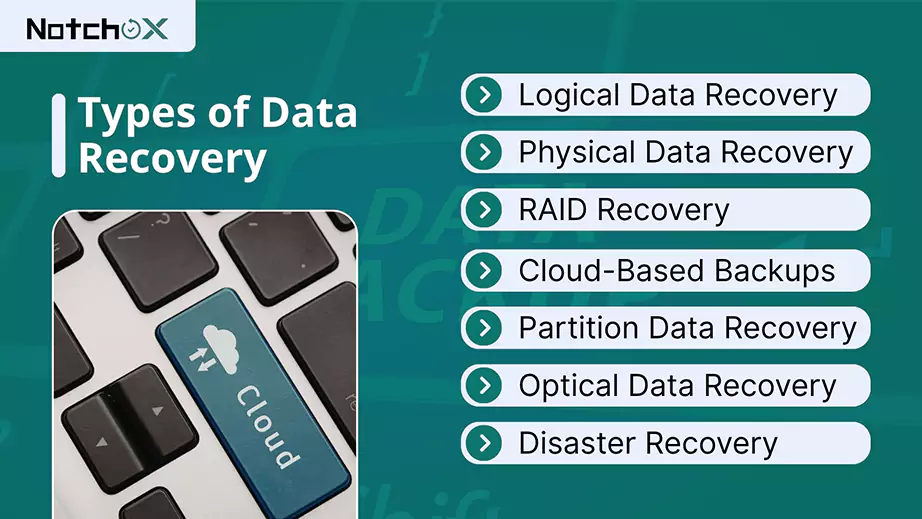
What are the Types of Data Recovery?
The restoration process depends on the type of data loss, support system and severity of the condition. It is important to understand the type of data recovery as it directly tells the success rate, time and cost for retrieving lost data. Let’s understand different types of data reclamation.
1. Logical Data Recovery
It is the process of restoring lost or deleted data when the storage itself is in a healthy working condition. Generally, this data loss is caused by human error, OS malfunction, or software issues.
Logical data recovery includes rebuilding the file system (such as NTFS) and searching for signatures so that files can be reconstructed based on their content.
2. Physical Data Recovery
Physical data recovery is the process of restoring data from the storage device when the device has undergone physical or electrical damage. Unlike logical data reclamation, it needs to repair the actual hardware to make it readable again.
The physical data restoration process includes diagnosis, cleanroom surgery, cloning, and data extraction.
3. RAID Recovery
RAID (Redundant Array of Independent Disks) is a storage technology that combines multiple physical hard drives into a single logical unit to improve and increase the storage capacity.
RAID Recovery involves reconstructing data and repairing configurations from damaged RAID arrays.
4. Cloud-Based Data Recovery
Restoring data using cloud-based backups. In Cloud-based data retrieval, the data is continuously replicated into a cloud provider’s infrastructure.
Cloud being cost-effective, it eliminates the need for an off-site data center. The process includes data backup and replication.
5. Partition/Volume Data Recovery
For data storage management and file management, the storage devices are divided into partitions/volumes. They basically separate the OS from data.
Partition table corruption or a power failure may cause data loss. This data restoration recovers the lost data by scanning the drive to rebuild the original structure.
6. Optical Data Recovery
Optical data restoration refers to recovering the laser-written data on CDs and DVDs. Specialised software is used to recover data lost due to physical damage to CDs and DVDs, or failures such as read errors and corrupted files.
7. Disaster Recovery
Large-scale outages may be caused by hardware failure, natural disaster or cyber attack.
Disaster data rescue focuses on minimising downtime and data loss. An IT disaster restoration plan is necessary for data loss prevention from any cyber attack, outage, critical bug, etc.
Understanding Recovery Objectives: Comparison Between RTO & RPO
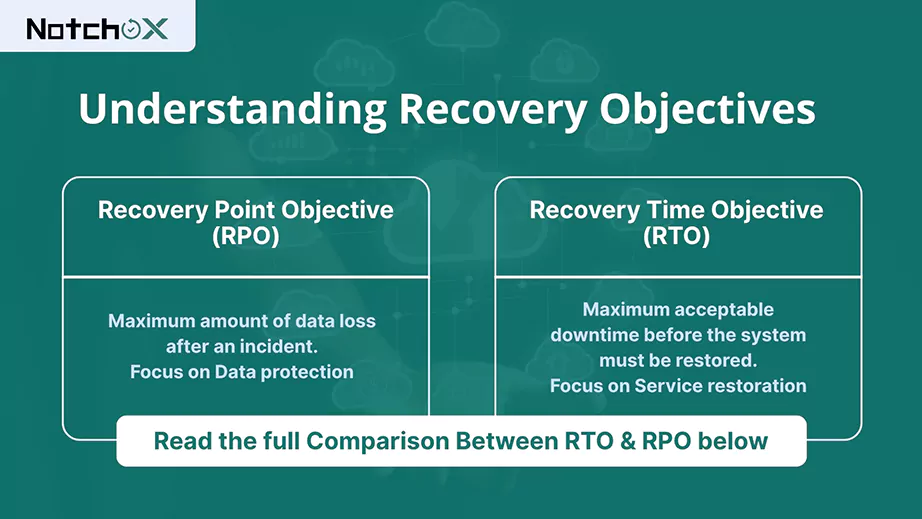
Two key principles of backup and recovery are Recovery Time Objective (RTO) and Recovery Point Objective (RPO). They are also known as disaster recovery metrics.
RTO is the maximum acceptable downtime before the system must be restored, basically, how long you can afford to be offline. The data rescue must be completed within the RTO.
RPO is the maximum amount of data loss after an incident, i.e., how much data you can afford to lose.
Check out the difference in details.
Metrics
RTO
RPO
Meaning
Recovery Time Objective
Recovery Point Objective
Definition
The maximum acceptable duration a system can be down after a disaster
Maximum amount of acceptable data after loss
Measurement
seconds/ minutes/ hours
Seconds/ Minutes/ Hours
Measured When
After disruption
Before disruption
Focus
Service restoration
Data protection
Goal
Restore operations quickly
Minimise data loss
What is the Data Recovery Process?
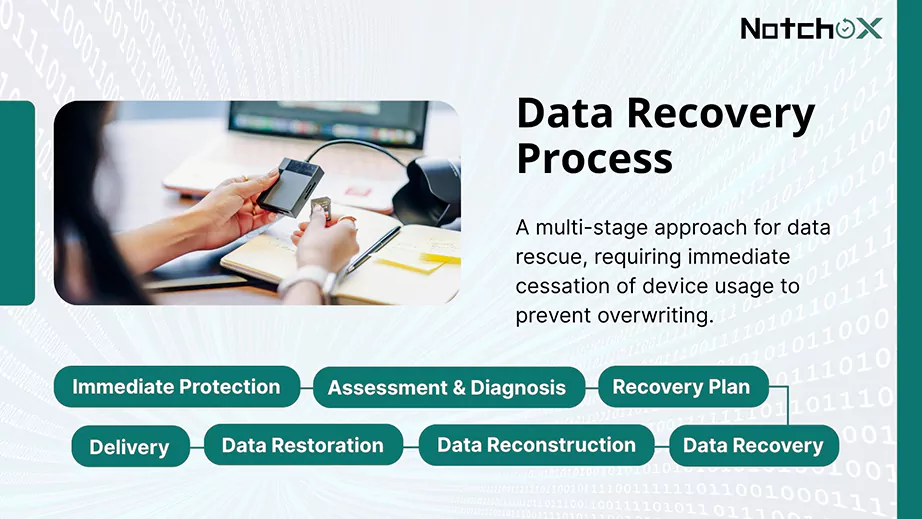
The structures, a multi-stage approach is followed for data rescue, requiring immediate cessation of device usage to prevent overwriting. It involves assessment, diagnosis, semantic planning, scanning, reconstruction and restoration to achieve data rescue success.
Here is the data restoration process explained.
Immediate Protection
When data loss is detected, whatever the reason may be, the first thing to do is to stop using the device to prevent further damage and overwriting of the lost files. Stop using the devices, disconnect power/network, and do not install data rescue software on the same drive that lost the data. This matters even more on SSDs, where the TRIM command can wipe deleted data for good within minutes.
Assessment & Diagnosis
Next, determine the cause of data loss: accidental deletion, hardware issue, corruption, virus or malware. This is needed to identify the best data salvage approach.
Recovery Plan
The data restoration tool or specialist will prepare the plan outlining the steps, based on diagnosis, indicating the type of data restoration to be performed: physical, logical, cloud, RAID, or disaster recovery.
Data Recovery
The next step is executing the data rescue plan. In which the device undergoes a scan to find any remnants of data, file signatures, or any broken directory link. These all help in further data reconstruction. The scan will take time according to the storage type.
Data Reconstruction
Once the data is identified through a scan, the data reconstruction starts. The identified data is fragmented and incomplete. It will be reassembled into its original format to be used. The data restoration software reconstructs the lost/ deleted pieces and makes them accessible.
Data Restoration
The recovered data is securely transferred to the new and secure storage to maintain the integrity. The recovered data is never stored in the original, damaged storage.
Delivery
After successful data restoration and validation, the recovered data is handed over to the user in a usable format.
What are Data Recovery Solutions?
Data recovery solutions are tools and techniques used to recover accidentally lost, corrupted, or inaccessible data. Despite being in the cloud world, on-site infrastructures still exist, and their data security is a crucial concern for any business.
Here are data recovery solutions that enterprises and businesses must follow to achieve successful restoration.
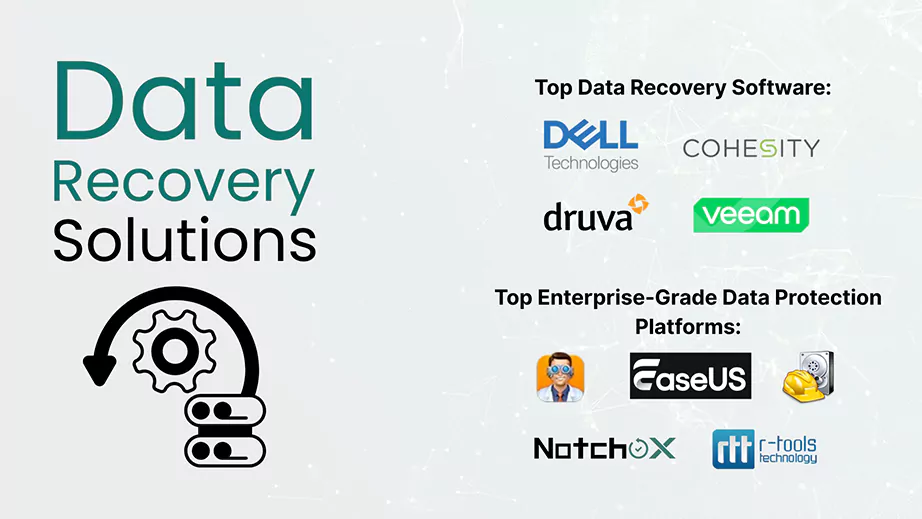
Comprehensive enterprise-grade data protection platforms help businesses in data recovery, meaning to secure the company’s critical data from accidental loss, deletion or corruption.
Top Enterprise-Grade Data Protection Platforms
Veeam Data Platform
Cohesity DataProtect
Druva Data Security Cloud
Dell Data Protection Suite
Businesses keep cloud-encrypted backups that help in the data retrieval and rebuilding of data from the saved copy (backup) to its original or new location after loss.
Specialised data retrieval software such as Notchox, Disk Drill, Recuva, etc. These are designed to retrieve the inaccessible data from failed, lost or corrupted storage.
Professional data recovery services are necessary when the storage device is physically damaged or when software-based restoration fails.
Wrapping Up
Data recovery refers to the process of recovering lost or inaccessible data in the original format after accidental deletion, drive failure, malware attack, or a virus. It depends on the type of digital storage, ranging from physical data salvage to disaster recovery.
Whether it’s a deleted project or a formatted drive, data restoration software can often turn a disaster into a minor hiccup and reconstruct the data from fragmented/incomplete data into usable formats.
So it’s time to take the first step towards data security. Download the free version of Notchox to evaluate your data rescue options.
Frequently Asked Questions (FAQs)
Q1: What is data recovery?
Ans: Data recovery is the process of retrieving and restoring lost, inaccessible, deleted, or corrupted data from failed or damaged storage devices. Data restoration requires specialised software to fix and retrieve the data back in its original format.
Q2: How to recover deleted data?
Ans: To recover deleted data, check the trash or recycle bin. If permanently deleted, use data rescue software.
Q3: Can permanently deleted data be recovered?
Ans: Yes. Permanently deleted data can be recovered because the data usually remains on the storage device until overwritten. It is just marked as free space.
Q4: Can I recover my data from a physically damaged hard drive?
Ans: Yes, you may still recover data from a physically damaged hard drive using specialised data rescue tools and services.
Q5: What is the data recovery process?
Ans: The data recovery process: Assessment & Diagnosis > Recovery Plan > Data restoration > Data Reconstruction > Data restoration > Delivery.
Q6: What is file recovery?
Ans: File recovery is the process of restoring a file that has been lost, deleted, corrupted, or made inaccessible from digital storage.
Deeksha Arora is a Data Protection & Recovery Writer focusing on writing accurate, informative, and easy-to-understand technical articles for Notchox’s readers. Her content on the prevention of data loss, understanding risks of device failures, and guides to fix problems helps readers make the right decisions and understand the technical terms easily. She works closely with Subject Matter Experts to ensure high usability and accuracy of her writing.