Kajal Singh Jun 9, 2026
Ans: Notchox is the best data recovery software. It has the highest successful file restoration rate with a modern and easy-to-use user interface.
Looking for the best data recovery software in 2026? Finding the right data recovery tools involves hours of risky trial and error. To eliminate this process, we analysed extensive performance testing data and user reviews to identify the most reliable professional data recovery tools available today.
You will see a direct comparison of top software options here, helping you make a wise choice for your data recovery.
Quick Answer: Notchox is absolutely the best data recovery software as it uses advanced algorithms for deep scanning to rescue lost or deleted photos, videos, documents and more. While other tools like Recuva and EaseUS are recommended for basic scanning, they are much slower and harder to use.
When using data recovery software is the only choice for your data loss situation, selecting the correct software means the highest probability of file retrieval. Here, we evaluated the market’s leading professional data recovery tools based on file system compatibility, features, data safety protocols, and pricing.
Notchox data recovery is a multi-platform software designed to salvage deleted, formatted, lost, or corrupted data. It is engineered for bread hardware flexibility. Operates cross-platform across major operating systems, including Windows, macOS, Android, and iOS.
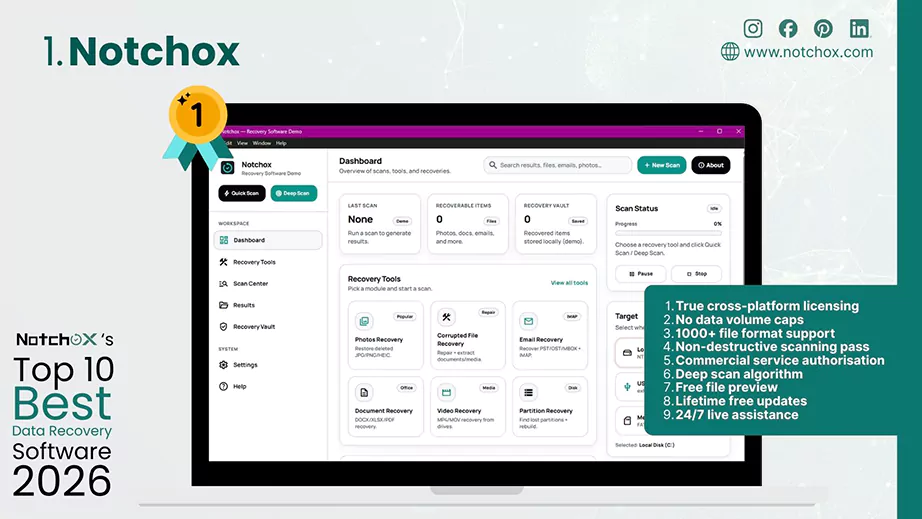
Why is Notchox the best data recovery software?
While legacy software forces users to buy separate licenses for different platforms, Notchox Data Recovery stands out for its all-in-one approach. It is globally considered an exceptional recovery tool because it offers deep scan data recovery for 1000+ file formats with advanced automated file reconstruction.
Key Features of Notchox
| Pros | Cons |
| True cross-platform licensing | No native free recovery tier |
| No data volume caps | No Linux support |
| 1000+ file format support | |
| Non-destructive scanning pass | |
| Commercial service authorisation | |
| Deep scan algorithm | |
| Free file preview | |
| Lifetime free updates | |
| 24/7 live assistance |
Performance & Recovery Safety
Ideal Use Cases
Best deployed for all possible scenarios like accidental folder deletion, drive format, corrupted file, and partition recovery, or pulling lost media directly off mobile phones and storage cards.
The next best data recovery software is Recuva, a globally recognised lightweight recovery tool for Windows. Developed by CCleaner, it stands out because it is a completely unrestricted free data recovery software without any arbitrary data limits like other modern software.
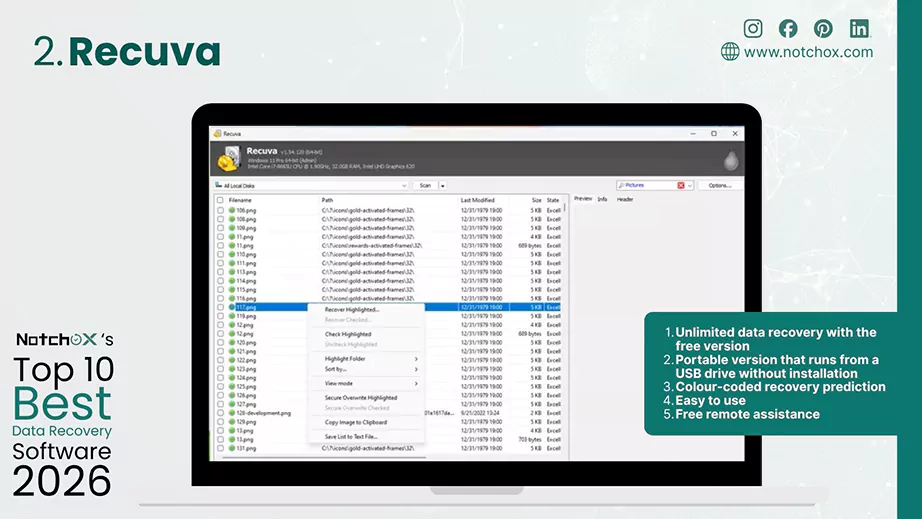
Key Features of Recuva
| Pros | Cons |
| Unlimited data recovery with the free version | Only available for Windows |
| Portable version that runs from a USB drive without installation | Outdated interface |
| Colour-coded recovery prediction | Struggles with highly complex RAID recovery |
| Easy to use | Hours of waiting for customer support |
| Free remote assistance | Lacks automated header repair for broken files. |
Performance & Recovery Safety
Ideal Use Cases
EaseUS is beginner-friendly file restoration software. It claims a 99.7% successful recovery rate that makes it one of the best data recovery software. With its 3-step wizard layout, it makes data rescue effortless for non-technical users, too.
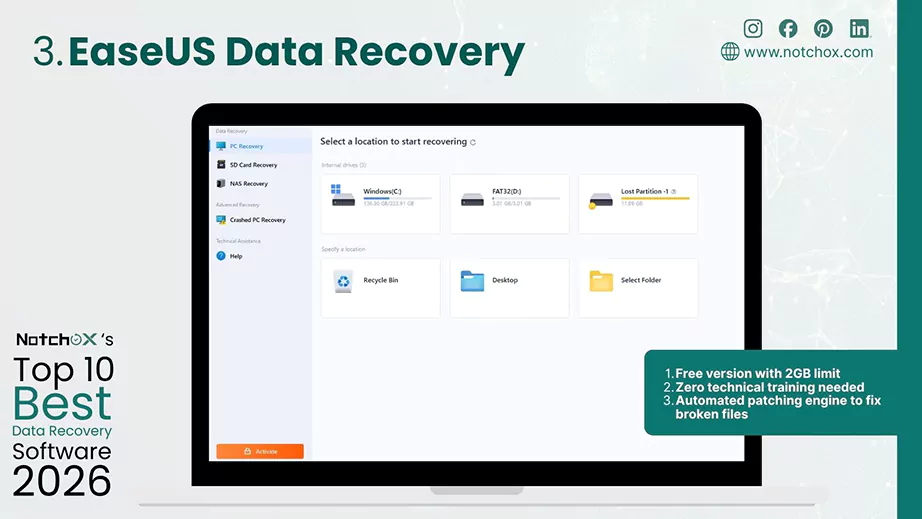
Key Features of EaseUS Data Recovery
| Pros | Cons |
| Free version with 2GB limit | A single licence is strictly locked down to one machine. |
| Zero technical training needed | Inconsistent results |
| Automated patching engine to fix broken files | Relatively slow scans |
Performance & Recovery Safety
Ideal Use Cases
Best for everyday users. A stress-free solution for data recovery software for SSD, USB, memory cards, etc.
Developed by CleverFiles, Disk Drill is another widely considered consumer data recovery software. It comes with a modern UI that simplifies complex features and an exceptional file reconstruction rate.
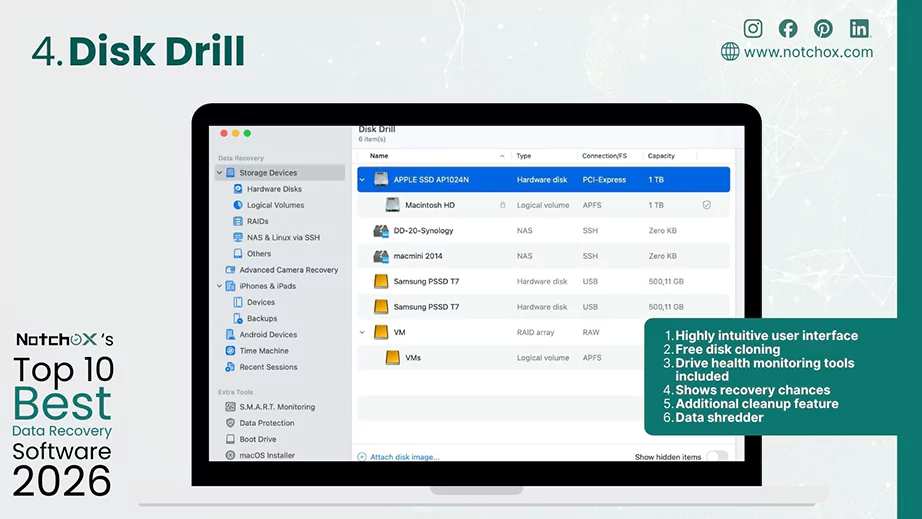
Features
| Pros | Cons |
| Highly intuitive user interface | Free recovery version allows only 500MB of data recovery |
| Free disk cloning | Doesn’t run on Linux |
| Drive health monitoring tools included | No call support |
| Shows recovery chances | |
| Additional cleanup feature | |
| Data shredder |
Performance & Recovery Safety
Ideal Use Cases
A premier all-in-one solution for recovering missing partitions, RAW data, accidental formatting, lost data, and more.
Unsure which premium tool fits your needs? Check out our explanatory comparison of Notchox vs Disk Drill to see how their pricing models, licenses and file repair capabilities stack up against each other.
For tech professionals, R-Studio is the ultimate data recovery solution for Linux, macOS, and Windows. It allows users to perform raw hex editing, manual partition reconstruction, virtual RAID reassembly, etc., which only professionals need.
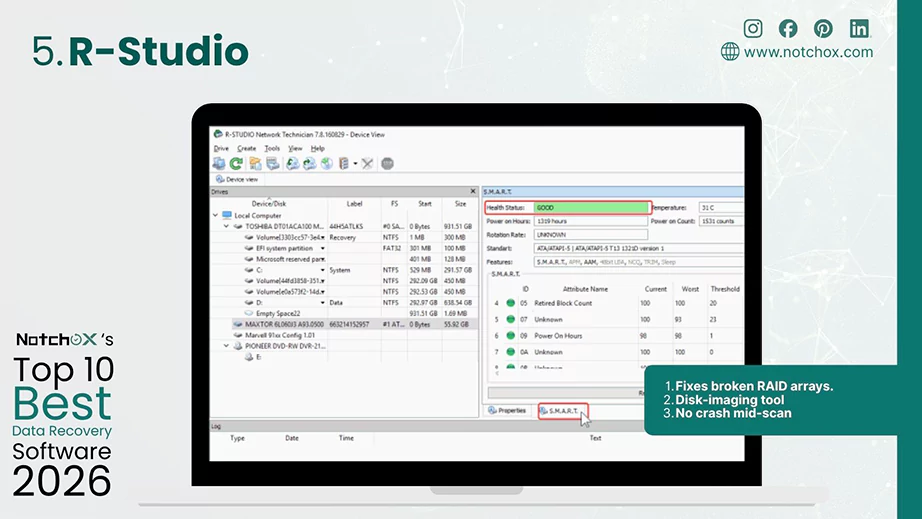
Key Features of R-Studio:
| Pros | Cons |
| Fixes broken RAID arrays. | Poor user interface |
| Disk-imaging tool | Lacks modern visual file preview sandbox |
| No crash mid-scan | Requires technical documentation and understanding |
Performance & Recovery Safety
Ideal Use Cases
Ideal for system administrators and forensic engineers who use it for heavily fragmented enterprise systems or failed drives.
TestDisk and PhotoRec are open-source companion programs that make their space in the best data recovery software lists because they give 100% free, unrestricted data recovery.
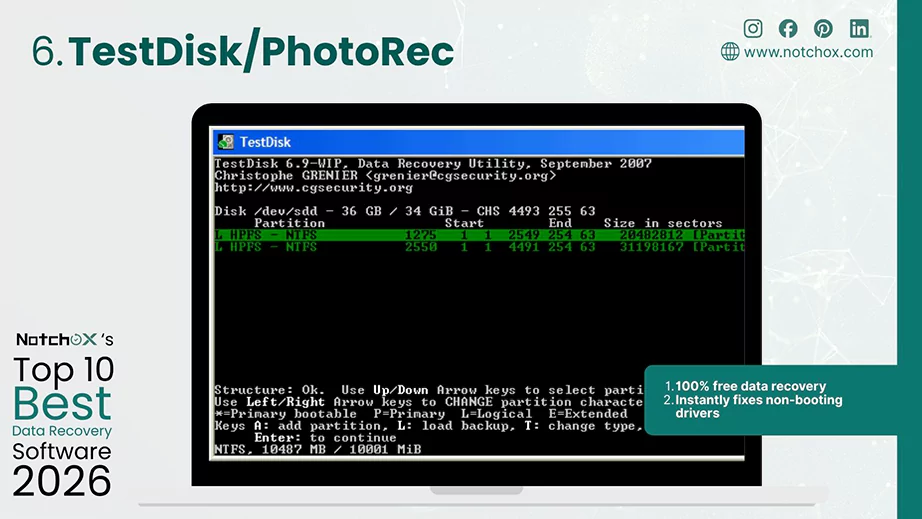
Key Features of TestDisk
| Pros | Cons |
| 100% free data recovery | Absence of GUI |
| Instantly fixes non-booting drivers | No Visual thumbnails or file preview |
| Does not preserve file names | |
| No warning messages | |
| No official customer support |
Performance & Recovery Safety
Ideal Use Cases
Useful for Linux users and tech-savvy people who need raw files from unreadable camera cards or need to repair corrupted MBR (Master Boot Records).
MiniTool is another recognised entry-level best file recovery software for Windows for quick home system fixes. It automatically caches scan histories and lets users pause, close, and reload previous scan files later without spending hours again.
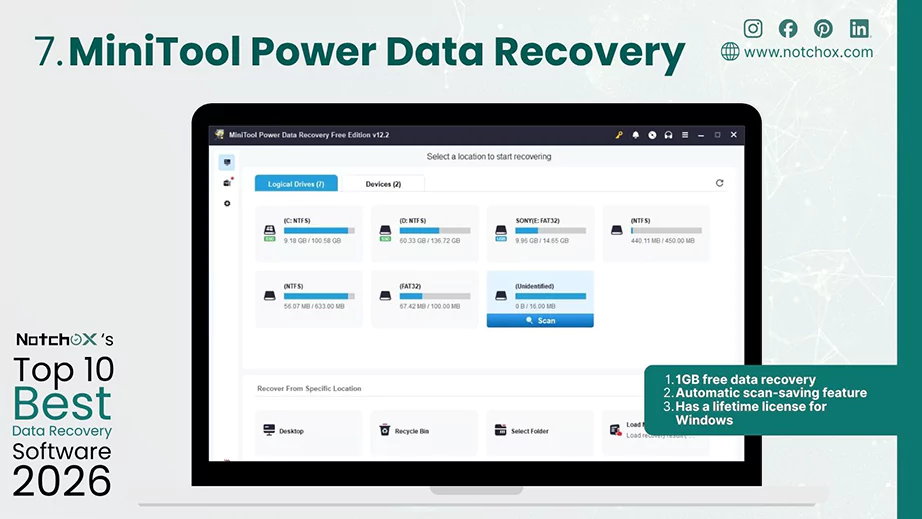
Key Features of MiniTool Power Data Recovery
| Pros | Cons |
| 1GB free data recovery | Outdated user interface |
| Automatic scan-saving feature | Only for Windows |
| Has a lifetime license for Windows | Fails to recover original folder paths and file names |
| File preview bugs |
Performance & Recovery Safety
Ideal Use Cases
Best use for everyday home scenarios like accidentally deleted work, fixing a corrupted drive or when you need data recovery software for SSD.
Stellar is another enterprise-grade data recovery software that goes beyond simple file extraction. It has tiered editions that come with advanced maintenance tools. Users can rebuild disk partitions and fix data files directly inside the software environment.
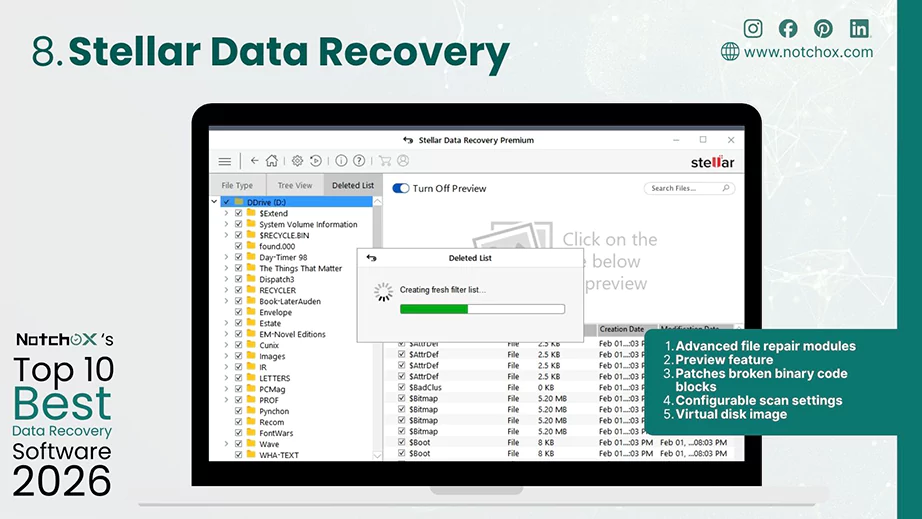
Key Features of Stellar Data Recovery
| Pros | Cons |
| Advanced file repair modules | Relatively expensive |
| Preview feature | Inconsistent recovery success rates |
| Patches broken binary code blocks | No auto-scan resume |
| Configurable scan settings | |
| Virtual disk image |
Performance & Recovery Safety
Ideal Use Cases
Used for recovering data from formatted, corrupted and unreadable drives where file extraction with media repair is needed.
It is a heavy-duty corporate tool that stands out for its deep hardware integration. Ontrack offers data recovery services along with world-class data recovery, email extraction and restoration software. They are built directly on enterprise forensic algorithms.
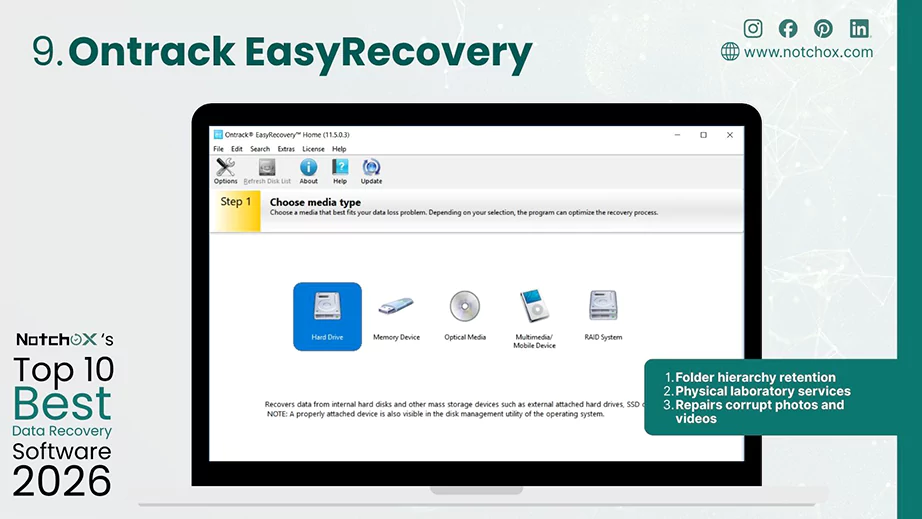
Key Features of Ontrack EasyRecovery
| Pros | Cons |
| Folder hierarchy retention | Free software is limited to 1GB of data |
| Physical laboratory services | Outdated user interface |
| Repairs corrupt photos and videos | High cost |
| Clunky file preview tool |
Performance & Recovery Safety
Ideal Use Cases
Best for business environments or by IT professionals where there is a need for reliable forensic-level file recovery.
Developed by Microsoft, Windows File Recovery is the best file recovery software for Windows. It’s a free software that operates deep within the native Windows ecosystem. It gives technical users a secure way to extract lost or deleted files directly using command-line prompts, eliminating the need for third-party commercial software installation.
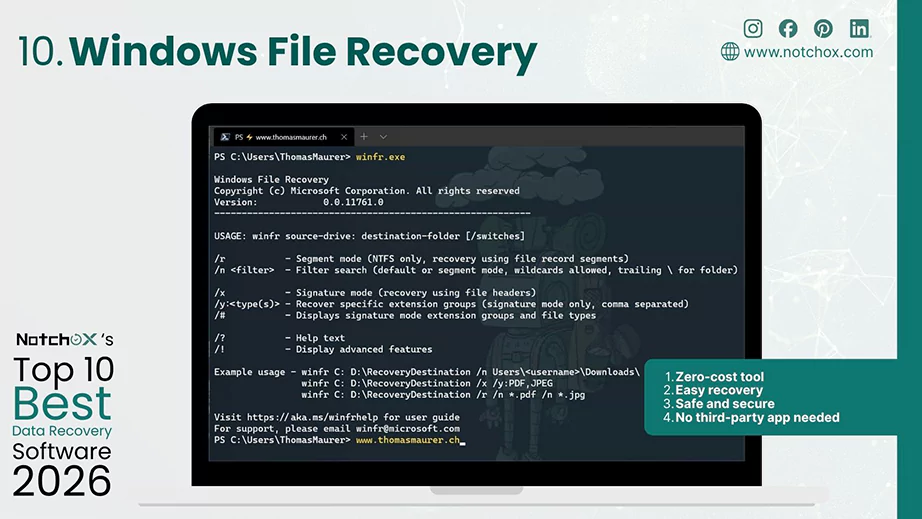
Key Features of Windows File Recovery
| Pros | Cons |
| Zero-cost tool | Limited official help |
| Easy recovery | |
| Safe and secure | |
| No third-party app needed |
Performance & Recovery Safety
To earn a top-tier recommendation, a data recovery software must excel across 6 foundational performance pillars.
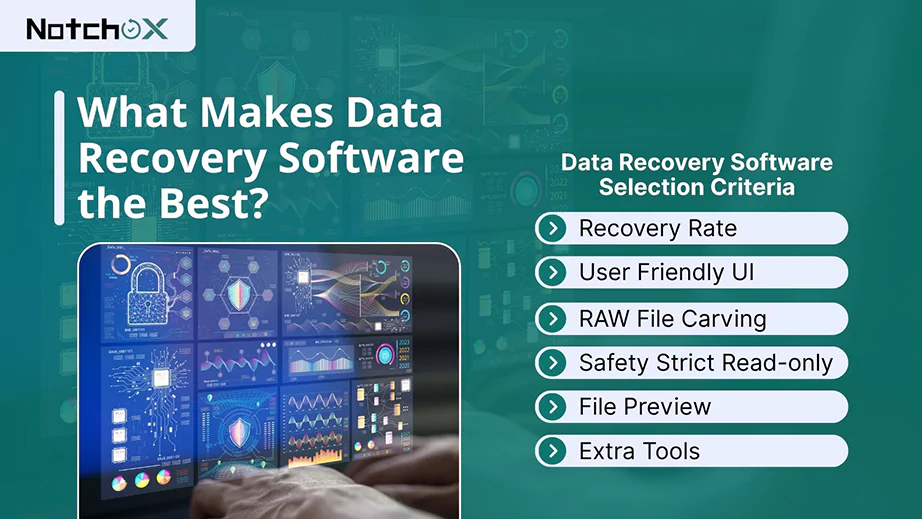
What matters is the actual performance when handling complex data loss. The best data recovery software does not just find the deleted files, but successfully pieces together their fragmented binary code from reformatted or corrupted storage. It must maintain a high success rate across diverse file systems such as NTFS, exFAT, FAT32, APFS, etc.
A high recovery rate means nothing if you can not figure out how to use the software during a data loss emergency. Hence, top-tier tools prioritise an intuitive user interface (UI) that guides non-technical users through the data rescue process.
When a drive’s Master File Table (MFT) or directory index tree is completely destroyed, standard scanning methods fail. Therefore, to be the best data recovery software, it needs advanced RAW file carving signatures. In this, the software bypasses the broken file system entirely and reads the physical sectors. It then identifies and stitches together files based on their binary headers and footers.
The #1 rule of data recovery is to do no harm. Premium software is hardcoded to operate inside a strict and secure read-only execution state. With this, the software/tool only reads and copies the data from the damaged drive without writing new blocks or modifying any data.
High-quality software includes a robust preview sandbox matrix. This lets the users view full images, videos, documents or listen to audios before initiating the final export process. This feature saves time by letting users verify that a file is exactly what they wanted before purchasing a license or spending hours downloading data.
Extra tools offered are a bonus in data recovery software. You get byte-to-byte cloning or a drive health monitoring feature that gives you service beyond data recovery. So, choosing software with additional tools is a big advantage given the cost of standardisation.
By combining direct testing, user feedback, assessing criteria and professional benchmarks, we have provided this complete, transparent look at the best data recovery software available today.
After testing and reviewing technical feedback, we have narrowed down the solutions. To get your files back now, we highly recommend choosing Notchox with a user-friendly UI and a high recovery success rate of 1000+ file types.
Other preferred software includes Disk Drill and Recuva for file restorations. So, stop using your drive immediately to avoid data overwrites, pick your tool and get your files back today!
Ans: Notchox is the best data recovery software. It has the highest successful file restoration rate with a modern and easy-to-use user interface.
Ans: TestDisk/PhotoRec is the best free data recovery software for multi-platform users. It is a command-line utility that needs CMD knowledge for recovery.
Ans: The standard recovery process most data recovery software follows is:
Ans: Yes. Formatting clears the directory index tree only. The actual data remains on the physical blocks. Data recovery software scans to recover data from there.
Ans: Yes, for irreplaceable files. Data recovery software is an essential way to recover your important files without any hassle.
Ans: Yes. Microsoft File Recovery is the official tool provided by Microsoft for free data recovery on Windows. It is a completely free command-line terminal utility.
Ans: Notchox is better than Disk Drill for multiplatform users and corrupted files because its Pro tier provides cross-platform licensing for 5 devices (covering Windows, macOS, Android and iOS under a single license). Disk Drill requires separate purchases for different platforms. Additionally, Notchox offers deep scan technology that recovers data from sections that system software fails to detect.

Kajal Singh is a Data Recovery Writer at Notchox, specializing in data recovery, storage systems, RAID, and digital forensics. She writes technical processes, tools, and cases into clear, engaging articles, blogs, and guides. Kajal does thorough research, deep analysis, and collaborates with experts to produce high-quality and engaging content that is easy to understand for every reader.