Deeksha Arora May 25, 2026
Ans: TestDisc, PhotRec, and R-Linux are some of the best data recovery tools for Linux.
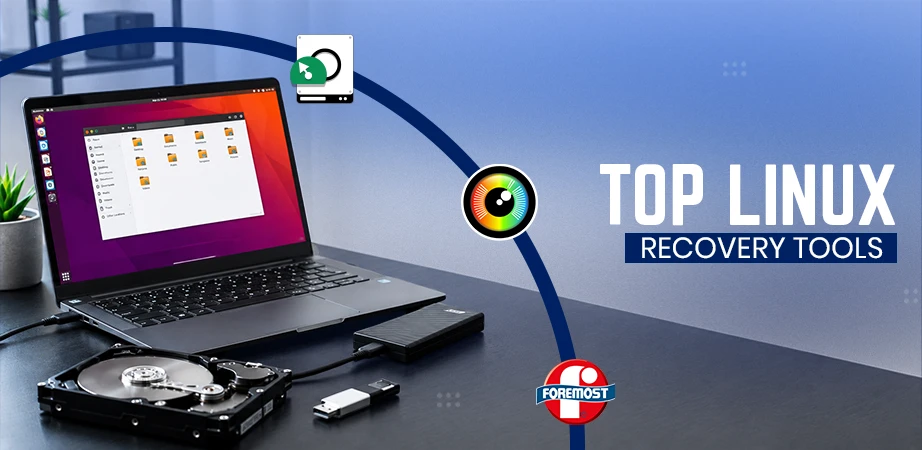
In Linux, data loss often happens due to accidental deletion, formatting, or filesystem corruption. While “broken” symbolic links are merely a symptom of missing files, true data loss happens when the final hard link to a file’s inode is broken.
Further, if data is lost, data recovery success varies by hardware: on HDDs, data persists until overwritten, while on SSDs, the TRIM command often erases data blocks permanently and immediately. For the best chances of recovery, unmount the drive or power down the system immediately to prevent overwriting. This article compares the specialised tools to help you choose the best tool to recover data on Linux.
Quick Answer:
TestDisk, PhotoRec, R-Linux, Extundelete, Foremost, ddRescue, SystemRescue, UFS Explorer, GParted, and Scalpel are the top, tried and tested best data recovery tools on Linux in 2026.

Linux is a free, open-source operating system based on Unix, making it a secure, ultra-stable, and highly customizable powerhouse. As users seek alternatives to the restrictions of the Microsoft ecosystem and iOS, Linux is gaining significant traction and powering everything from Android phones, Raspberry Pi boards and smart TVs to 100% of the world’s top 500 supercomputers.
Whether a developer, researcher, or user, Linux distros offer a secure and flexible environment for everyone.

Here is a quick comparison table that breaks down cost, tool type, supported Linux filesystems, and key features to help you make an informed choice.
| Linux Data Recovery Tool | Cost/License | Tool Type | Supported Linux FS | Key Specialty |
| TestDisk | Open Source | CLI | Ext2/3/4, Btrds, XFS, JFS, ReiserFS, Linux RAID, LVM, UFS | Partition Recovery & Boot Sector Repair |
| PhotoRec | Open Source | CLI | Ext2/3/4 | File Data Recovery (Craving) |
| R-Linux | Free | GUI | EXT2/3/4 | Free Intelligent File Recovery |
| Extundelete | Open Source | CLI | EXT3/4 | Undeleting Files from Ext3 & Ext4 Journal |
| Foremost | Open Source | CLI | Byte Level Raw Disc Images | Forensic File Recovery Using Headers/Footers |
| ddRescue | Open Source | CLI | Block Level | Rescuing Data from Failing Drives with Bad Sectors |
| SystemRescue | Open Source | Optional GUI | ext4, xfs, btrfs, reiserfs, NTFS, and FAT32/16 | System and Data Recovery and Partitioning |
| UFS Explorer | Paid (Pro) | GUI | Ext2/3/4, Btrds, XFS, JFS, ReiserFS, UFS/2 | Professional RAID & Multi-FS Reconstruction |
| GParted | Open Source | GUI | Ext2/3/4, Btrds, XFS, JFS, ReiserFS, Linux Swap, Nilfs2 | Partition Management & Rescuing Lost Partitions |
| Scalpel | Open Source | CLI | Any Partition Type | Fast & High Performance Forensic File Cracking |
Here are the top 10 data recovery tools for Linux, selected based on their recovery success rates, file system support, ease of use (CLI vs. GUI), reliability in handling both accidental deletions, severe partition corruption our and more. I’ve listed features, working, use cases, pros, and cons of each data recovery tool for your better understanding.
By the end of this section, you’ll have a clear understanding of which is the best tool to recover data on Linux based on your priorities.

TestDisk is an open-source data recovery software licensed under the terms of the GNU General Public License. One of the most widely used on Linux for recovering data from lost ext2/ext3/ext4, NTFS, FAT, and exFAT partitions. Also, specialised in fixing and recovering partition tables and rebuilding boot sectors.
Key Features:
| Pros | Cons |
| For both novices and experts | No file preview |
| Free and open source | No resume feature |
| Versatile usage |
How does TestDisk work?
Known For:
Use case:
TestDisk fixes non-booting drives, recovers deleted files, reconstructs corrupted partitioned structures, and more. It is also used to recover lost and corrupted partitions and fix them.

PhotoRec is another open-source CLI data recovery tool from the makers of TestDisk. Initially designed to recover photos from a digital camera, over time it extended support to various file formats.
This software is excellent for recovering files, especially photos and videos from corrupted drives, by scanning raw data. It recovers the lost files by ignoring the filesystem and looking for file signatures to retrieve data.
Key Features:
| Pros | Cons |
| Deep and effective recovery | Not beginner-friendly |
| Free and open source | Outdated GUI |
| Extremely long scan times |
How does PhotoRec work?
Known For:
Use case:
PhotoRec often comes bundled with TesDisc and uses signature-based file recovery. It is used to recover lost/ corrupted files, even if the file system is damaged or corrupted. Other applications include recovering corrupted media files, damaged partitions, file carving, and raw disk image recovery.

R-Linux is a free, powerful data recovery tool that supports statistical computing and graphics, created by R-Tools Technology. This uses “IntelligentScan” technology to reconstruct lost data. It is limited to Linux file systems and lacks RAID reconstruction.
Key Features:
| Pros | Cons |
| Completely free for personal linux use | Limited support |
| Intuitive GUI for easy Navigations | No RAID recovery or reconstruction |
| Powerful scanning for lost partitions | Requires root permission to run |
How does R-Linux work?
Known For:
Use case:
R-Linux is used to deep-scan the drive, preview and recover lost files. Its user base ranges from casual home users to specialised tech professionals. Recovering accidentally deleted documents or recovering a corrupted partition due to a power failure, R-Linux does it all.

Extundelete is an open-source command-line utility for Linux used to recover deleted files from ext3 and ext partitions. It looks deep into the disk’s hidden records to find data that the computer thinks is gone forever.
Key Features:
| Pros | Cons |
| Restores original file names | Requires unmounting the partition |
| Simple command-line interface | |
| Fast metadata-driven canning |
How does Extundelete work?
Known For:
Use Case:
Extundelete works best for retrieving file descriptors from filesystems’ transactional logs directly. It functions as an advanced metadata-driven recovery tool by parsing the ext3/ext4 journal to reconstruct data.

Foremost is a Linux-based forensic program used to recover files using their headers, footers, and data structures through file carving. Created for law enforcement by the U.S. Air Force, it specialises in recovering documents, images, videos and more, even when file system metadata is destroyed.
Key Features:
| Pros | Cons |
| No metadata needed | Uses generic numbers, not original file names |
| Military-grade forensic accuracy | No GUI |
| Scan large disc images |
How does Foremost Work?
Known For:
Use case:
Foremost is a go-to tool for digital forensics and emergency data retrieval when the file is corrupted or formatted. Investigators use it to recover evidence from raw disk images. It excels in pulling specific data file types like JPEGs or PDFs from damaged partitions or drives.

GNU ddrescue is an automated block-level data recovery tool for Linux. This software works on the principle of copying data from a failing drive or partition to another location to recover healthy data. It then works on the created copy.
Key Features:
| Pros | Cons |
| Resumes recovery using the mapfile | Recovery can take days/weeks |
| Prioritises healthy data for quick results | Needs extra tools for file extraction |
How does ddRescue work?
Known For:
Use case:
This data recovery software is widely used to recover data from failing hard drives, RAID volumes, optical media, and more. It excels at cloning failing hard drives into healthy ones by skipping unreadable sectors. This is considered perfect for long-term recovery sessions that require pausing and resuming.

UFS Explorer is a professional-grade data recovery suite to navigate complex storage structures. It constructs Linux-specific technologies like LVM (Logical Volume Manager), RAID, etc. Also provides a GUI to visualise partitions. Because being “read-only”, it never writes back data to your bad drive. Hence, it is indeed a professional rescue kit to recover data from tricky Linux servers.
Key Features:
| Pros | Cons |
| Data recovery from encrypted media | High cost for the full professional version |
| Virtual machine support | Steep learning curve |
| High-speed data processing | The trial version has very strict file size limits |
| Customizable known file types | |
| Works with bad sectors |
How does UFS Explorer work?
Known For:
Use case:
UFS Explorer is primarily used for advanced data recovery when standard software fails. This is a powerhouse for recovering data from Ext2/3/4, XFS, JFS, Btrfs and TeiserFS partitions. Also ideal for mounting Linux disk images directly on a Windows or MacOS machine.

SystemRescue 13.00, released in late March 2026, is the latest version of an Arch-based Linux rescue toolkit. Arch Linux is user-friendly, easier to install, and has pre-configured desktop environments. It is available as a bootable medium for repairing your system and data after a crash.
Key Features:
| Pros | Cons |
| A vast array of standard tools | Steep learning curve |
| Highly compatible | Lack of automatic fixes |
| Flexible boot options | |
| Active maintenance | |
| Lightweight and speed |
How does SystemRescue work?
Known For:
Use case:
SystemRescue finds its application in repairing unbootable Linux/Windows systems and managing disk partitions. It rescues data, passwords, backup files and troubleshoots the network via USB/CD.

GParted (GNOME Partition Editor) is a free, open-source graphical tool used to manage disk partitions, allowing resizing, copying, moving, creating, and deleting partitions without data loss. It acts as a user-friendly front end for the command-line utility.
Key Features:
| Pros | Cons |
| Open source | Power failures can corrupt entire disk |
| Easy to use for beginners | Slow operation |
| Manage partitions without data loss | |
| Broad compatibility |
How does GParted work?
Known For:
Use case:
GParted is used for disk management and system preparation. Its most common use case is creating space for a dual-boot setup, i.e., shrinking a Windows partition to make space for Linux installation. Also, this is used to clone partitions to larger disks.

Scalpel is data recovery software with a graphical user interface that offers data recovery across macOS, Windows, and Linux OS. It scans the raw disk clusters for headers and footers, which are digital signatures of files. This software is based on the older Foremost tool and is more efficient.
Key Features:
| Pros | Cons |
| Efficient and fast | Loses original file name |
| Works on any storage (USBs or SDs) | Command-Line only |
| Requires manual configuration before any scan |
How does Scalpel work?
Known For:
Use case:
The most common use case for a scalpel is during a digital forensic investigation. When metadata is completely destroyed, and standard tools fail, Scalpel does the work. Because this doesn’t use a file system, it can not recover original file names and folder structures.
Ultimately, having the right recovery tool in your Linux system can make all the difference between complete data loss and a full recovery. TestDisk, PhotoRec and R-Linux top the list next with their specialisation in fixing and recovering partition tables and rebuilding boot sectors. I hope this guide helps you choose the best tools to recover data on Linux. Working on a Chromebook instead? ChromeOS is Linux at heart, and there is a dedicated way to recover files from Chromebook storage. But remember, the best recovery tool is a consistent backup.
Ans: TestDisc, PhotRec, and R-Linux are some of the best data recovery tools for Linux.
Ans: The data recovery tool on Linux works by scanning the drive for remnants, looking for spaces that have not been overwritten, and then recovering the safe data in secure storage.
Ans: The difference between Command Line Interface (CLI) tools and Graphical User Interface (GUI) lies in the interaction method. CLI tools use text-based commands, whereas GUIs offer interactive elements like icons, buttons, etc.

Deeksha Arora is a Data Protection & Recovery Writer focusing on writing accurate, informative, and easy-to-understand technical articles for Notchox’s readers. Her content on the prevention of data loss, understanding risks of device failures, and guides to fix problems helps readers make the right decisions and understand the technical terms easily. She works closely with Subject Matter Experts to ensure high usability and accuracy of her writing.