

Notchox is recognised for providing data recovery services for computer systems and smartphones. Our program and app work best on devices with certain specifications, as mentioned below.
Desktop
System requirements for PCs and laptops
Windows
Full support for all modern Windows versions
| Operating System | Windows 7, 8, 10, and 11 |
| Architecture | 32-bit or 64-bit |
| Processor | 1 GHz |
| Memory (RAM) | 1 GB minimum |
| Storage | 250 MB free space |
|
Supported File Systems
FAT12
FAT16
FAT32
exFAT
NTFS
NTFS5
ext2
ext3
HFS+
ReFS
|
|
macOS
Optimized for Apple Silicon and Intel Macs
| Operating System | macOS Monterey (12), Ventura (13), Sonoma (14), or newer. |
| Processor | Apple Silicon (M1, M2, M3, M4) or Intel multi-core processors |
| Memory (RAM) | 8 GB minimum |
| Storage | 300 MB free space |
|
Supported Versions
Ventura 13
Sonoma 14
Sequoia 15
|
|
Mobile
Device requirements for smartphones and tablets
Android
Compatible with most Android devices
| Operating System | Android 6.0 (Marshmallow) or higher |
| Memory (RAM) | 1 GB+ |
| Storage | 150 MB for installation (300 MB after caching) |
iPhone / iPad
Supports all modern iOS devices
| Operating System | iOS 15.1 or later |
How To Recover?
| Windows/ Mac |
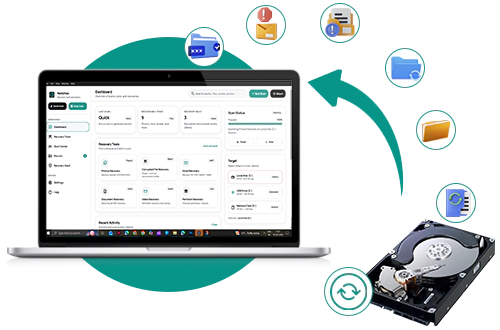
| Step 1: Install Notchox Data recovery software on the laptop/ Mac. |
| Step 2: Run the application. |
| Step 3: Select the drive from which you want to recover data. |
| Step 4: Click “SCAN”. |
| Step 5: Click “Results”. |
| Step 6: Select the previewed files and recover them. |
| Android Smartphone/ Tablet/ iPhone |
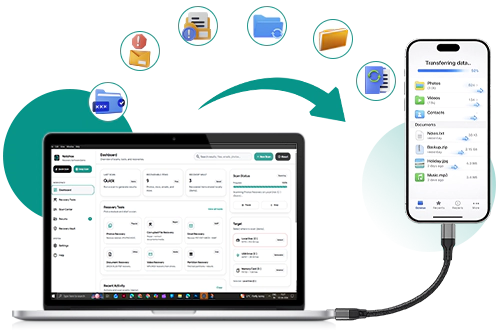
| Step 1: Install Notchox Data Recovery Software on the Laptop/Mac. |
| Step 2: Connect the Android smartphone/tablet/iPhone to it. |
| Step 3: Run the application on a laptop/Mac. |
| Step 4: Select the memory storage location of your phone from which you want to recover data. |
| Step 5: Click “SCAN”. |
| Step 6 : Click “Results”. |
| Step 7 : Select the previewed files and recover them. |

Experience Professional Data Recovery Now