
Notchox Case Studies
See how Notchox brings your data back from the most unexpected situations. Whether you face accidental deletion or corrupted files, Notchox restores all your data in no time. Supported by a wide range of devices such as iPhone, Android, macOS, Windows, etc., it’s a premium solution for all your data recovery needs.
- Recovers lost folders from any device.
- Brings back data after a sudden system crash.
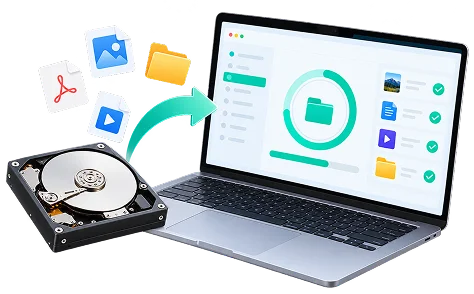
- 4-step simple recovery: Select Drive, Scan, Preview, and Restore.
Practical Recovery Solutions For Every Minor to Major Data Loss
Data loss is something that can happen at any time without any warning. Be it a system failure, accidental deletion, or corrupted or damaged drives, they can actually put your important business/personal information at risk within minutes.
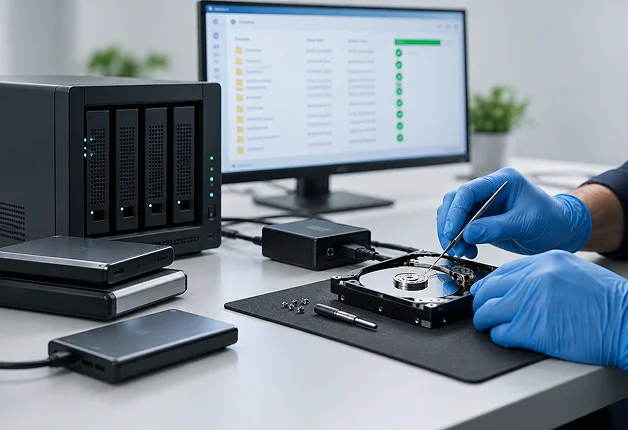
Notchox Data Recovery Software is designed to be a user-friendly software to scan storage devices and go deep into raw data sectors to bring back corrupted and deleted files, preview them, and choose what to restore. Being a versatile data recovery software, it supports multiple file types and storage environments across Windows, macOS, Android, and iOS.
The following case studies show how businesses used Notchox to recover their data from nearly impossible situations.
Case Study 1: Recovering Critical Business Data After a Server Failure
A severe server failure that risked months of business data. Notchox Data Recovery Software completely restored all missing files for operations to resume.

Stellar Cloud Solutions
The Challenge
A server failure can lead to a serious operational problem for any business. Especially when it depends on a completely digital infrastructure, because important databases, working files, business information, etc., can suddenly become inaccessible.
Stellar Cloud Solutions faced this situation after a major server failure.
“The server failure put months of work at risk and created an urgent need to recover critical business databases.”
Michael Thompson, IT Director, Stellar Cloud Solutions
The priority here was not just recovering the files. The need was for a practical, powerful recovery process which could identify recoverable information and restore the data required to resume operations.
The Recovery Approach
The Stellar team deployed Notchox Data Recovery Software to scan and identify recoverable data from the affected storage.
Notchox’s software uses a simple, user-friendly recovery process:
STEP
STEP
STEP
STEP
STEP
This easy-to-follow process with a modern UI gives users a non-chaotic way to restore files from anywhere.
For Stellar Cloud Solutions, the data recovery was focused on restoring the important databases after the server failure to continue their operations.
The Outcome
According to Michael Thompson, IT Director at Stellar Cloud Solutions, Notchox successfully recovered the company’s critical databases, and that too within minutes after the server failure.
He recommends the software as an important tool for IT teams facing data loss emergencies.
The result clearly shows an important use case for data recovery software. Helping businesses react quickly to unexpected data loss and restore critical information.
Key Takeaways
- Unexpected server failures can put important business information at risk.
- A structured scan-and-preview workflow can make the recovery process easy.
- Selective recovery saves time and gets you what is needed.
- Fast recovery is important during business-critical incidents.
Michael Thompson, IT Director at Stellar Cloud Solutions, says that after a server failure, Notchox recovered their critical business databases successfully.
Case Study 2: Recovering a Deleted Client Project Before a Deadline
Notchox Data Recovery Software deep scan helped urgently restore accidentally deleted files important for the client project.

Blue Marble Design
The Challenge
Client project files are important and contain weeks and months of work. For a creative business, losing a project folder just before a client deadline is a really extensive pressure situation.
Blue Marble Design underwent this problem because a client project folder was accidentally deleted from the system.
The deleted project folder was needed to continue and complete the project. Recreating the same work again would have put the team under a lot of pressure and unsuccessful in delivering it to the client on time.
So, to find if the deleted folder was recoverable was the immediate priority for the team.
The Recovery Approach
The team used Notchox Data Retrieval Software to scan the storage drive for recoverable project files.
Since Notchox Data Recovery Software is designed to support various data recovery scenarios, identifying and restoring accidentally deleted files was no big deal. Its interface is very simple to use:
The preview feature of Notchox was of great use here because it allows to recover selected files rather than the whole data.
The Outcome
According to Sam Johnson, Sales Director at Blue Marble Design, Notchox succeeded in recovering the accidentally deleted project files.
The client described the recovery process as simple and helpful in restoring the accidentally deleted files in no time when the deadline is critical
For any business working against a deadline, the time factor is very crucial. So, recovering an existing project folder can be more practical rather than creating new from scratch.
Key Takeaways
- There’s a risk of accidental deletion for any active client projects.
- Deleted files may still be recoverable if acted quickly, depending on the storage and data-loss circumstances.
- Preview recoverable files help to check them before final restoration.
- Selective data recovery is very important if you want to recover specific file.
Sam Johnson, Sales Director at Blue Marble Design, gives a positive feedback to Notchox for successfully recovering the client’s project files after they were accidentally deleted.

What Do These Cases Show?
These two cases show different business data loss situations where Notchox successfully restored files.
Stellar Cloud Solutions faced a major infrastructure-related data loss while Blue Marble Design faced accidental deletion of an active client project.
Though the data-loss situations were completely different, both needed the same solution: check whether the deleted data can be recovered and restore the data needed to continue operations on time.
Notchox’s data recovery flow is simple: scan, preview, select, and recover. The software, being cross-platform, supports multiple storage types, which makes it suitable for a range of personal and business recovery situations.
Data Recovery for Different Business Situations
Notchox provides data recovery across wide data-loss scenarios, such as:
Total Recovery
Restore deleted and corrupted data from any storage device.
Need to Recover Lost Data?
In any data loss scenario, the first step is determining whether the important data deleted is recoverable or not.
Notchox Data Recovery Software provides a 2-day free trial, so users can self-try and evaluate the recovery process before choosing a paid plan. Its recovery workflow includes scanning the storage drive, previewing the recoverable files, and selecting the files to be restored.
Begin your data recovery with Notchox to scan your storage and rescue your lost business files

Begin your data recovery with Notchox to scan your storage and rescue your lost business files.